

You've probably lived this scenario: a constant flow of figures and reports, yet you never quite know where to focus your attention. You quickly check the sales figures, then review your marketing campaigns… and you wonder: "Which of these KPIs will actually guide my decisions?"
Odoo centralises all your performance indicators, data and dashboards in one place, for clear and efficient management. In two clicks, you master the health of your business – sales tracking, web traffic analysis or service monitoring – all without consulting a technical manual: it is disarmingly simple and an invaluable time-saver for effective decisions. For personalised support, the experts at TSC-Experts are there to support you at every step. !
Why customise your KPI dashboards in Odoo?
You're probably wondering: "Why not use a standard dashboard?" A legitimate question! Generic solutions offer fixed views where you quickly lose track. With Odoo, each dashboard is tailored to your objectives: you choose your indicators, the update frequency and the presentation (charts, gauges, lists). Here, frustration is a thing of the past: you master the art of identifying what truly matters, whether it's the marketing conversion rate, sales turnover, or after-sales service feedback. These dashboards are accessible from your website, your smartphone, or even shared with your external teams, without compromising data security. You gain agility, efficiency, and above all, you eliminate the feeling of "flying blind".

Identify your key indicators
Before diving into creation, stop: what data do you want to track? Start by listing your essential indicators: conversion rate, number of resolved tickets, marketing campaign performance, average processing time… Choose them according to your strategic objectives: increase sales, reduce costs, improve customer satisfaction. (Honestly: you really don't need 50 KPI – 5 to 7 are enough to stay on course.)
Practical tip: consult your team – they know which questions come up most often. Avoid the classic mistake: wanting to measure everything at once. The result? You already have a first draft of your dashboard with truly relevant indicators, ready to feed your analyses.
Configure your data in Odoo
Once your KPI performance indicators are defined, head to Odoo : assemble your sources. Thanks to native integration with your Sales, Marketing, Services or Website modules, you automatically collect data without double entry. If needed, activate external connectors (Google Analytics, Mailchimp or Shopify) for a complete overview. A small tip: check data consistency upstream – this avoids charts that look skewed because they are based on outdated references. By correctly configuring your access rights and filters, you ensure a constant and reliable data flow.
Create your custom dashboard
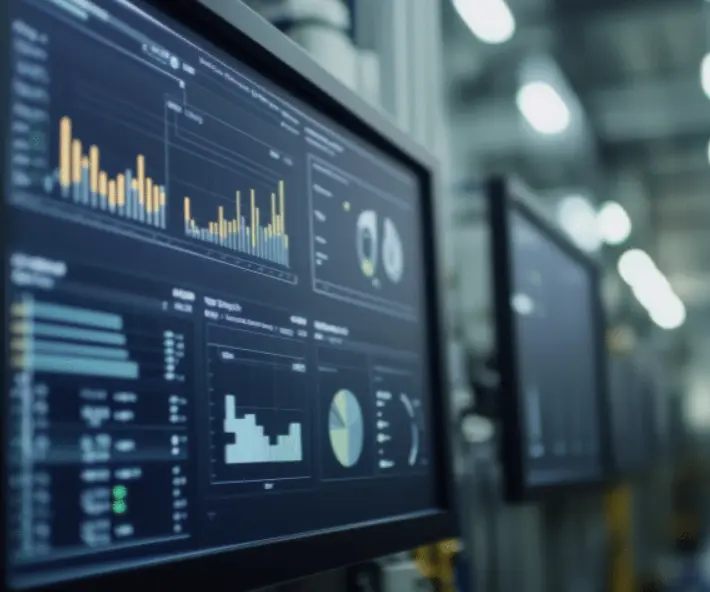
It's time to get down to business! In Odoo, create a dashboard in a few clicks: choose a blank template or an existing one, and drag and drop your widgets: bar charts, curves, gauges, detailed lists… You can even add real-time indicators thanks to the "auto-refresh" mode. The result? Your dashboard comes alive like an F1 counter, ready to show every peak and trough in performance.
Pro tip: play with widget colours and sizes to highlight critical data (but avoid the rainbow look, keep a minimum of elegance!). Thanks to Odoo's modularity, you can duplicate this Odoo dashboard for different departments: one for order management, another for marketing monitoring, without starting from scratch.
Analyse in real time for quick decisions
One of Odoo's biggest strengths is real-time analysis: as soon as a new ticket is resolved or a new lead arrives, your KPI is updated. You no longer wait for the weekly report to act: you adjust your campaigns, reallocate your resources, and react on the spot. (Do you feel that adrenaline rush? That's your business taking back control!) For example, if a traffic spike on your website suddenly turns into a drop in conversions, you are alerted and can investigate without delay. A real bonus for optimising your ROI.
Share and collaborate for greater impact
A dashboard is also there to be seen! With Odoo, you can share your views with colleagues, partners or even clients, by precisely defining access rights. Need a weekly update? Schedule the automatic sending of the dashboard by email (PDF format or direct link). Need a collaborative workshop? Export your dashboard in a printable format, add some post-its and the productive meeting is underway. Tip: organise a short monthly demo to present dashboard developments – you create a data-driven culture and everyone stays on the same page.
Advanced tips to boost efficiency
To go even further, here are some tips drawn from experience:
- Set up automatic alerts as soon as your KPIs exceed a critical threshold.
- Use pivot tables to cross-reference multiple indicators.
- Set up segmentations by product or region for more detailed analyses.
- Experiment with scheduled reports to guarantee seamless monitoring.
Don't worry, these features are natively integrated into Odoo: a real walk in the park once you get the hang of it.
.
Keeping your dashboards always sharp
To stop your dashboards from gathering dust, keep these tips in mind:
- Review your indicators every quarter to stay aligned with your objectives.
- Archive old dashboards to avoid the "over-engineered" effect.
- Regularly train your teams on the latest Odoo updates (allow 30 minutes per quarter).
- Test the new widgets as soon as Odoo releases an update (it's usually the occasion for a pleasant surprise).
By following these best practices, your dashboards will always remain up to date, and your business will continue to benefit from optimised management. There you have it — you are ready to manage your KPIs like a pro!

